1. Stacking 101 (The Hobby)
⬤Spot Price: The live, raw market value of a metal. It is the wholesale cost of the raw material before anyone makes it into a coin or bar.
⬤Premium: The extra cost added by a dealer. You almost never buy physical metal at exactly Spot Price. Premiums cover minting, shipping, and the dealer's profit.
⬤Troy Ounces vs. Kitchen Ounces: Precious metals are weighed in Troy Ounces (toz), which are slightly heavier (31.103 grams) than a standard kitchen ounce (28.349 grams). Our app handles this conversion automatically.
⬤Junk Silver (Constitutional): Pre-1965 US dimes, quarters, and half-dollars that contain 90% silver. They are usually bought and sold based on their 'Face Value' rather than weighing them.
⬤Fiat Currency: Paper money (like the US Dollar) backed by a government, not physical gold. Stackers buy metal to protect their purchasing power from fiat inflation.
2. Navigating the App
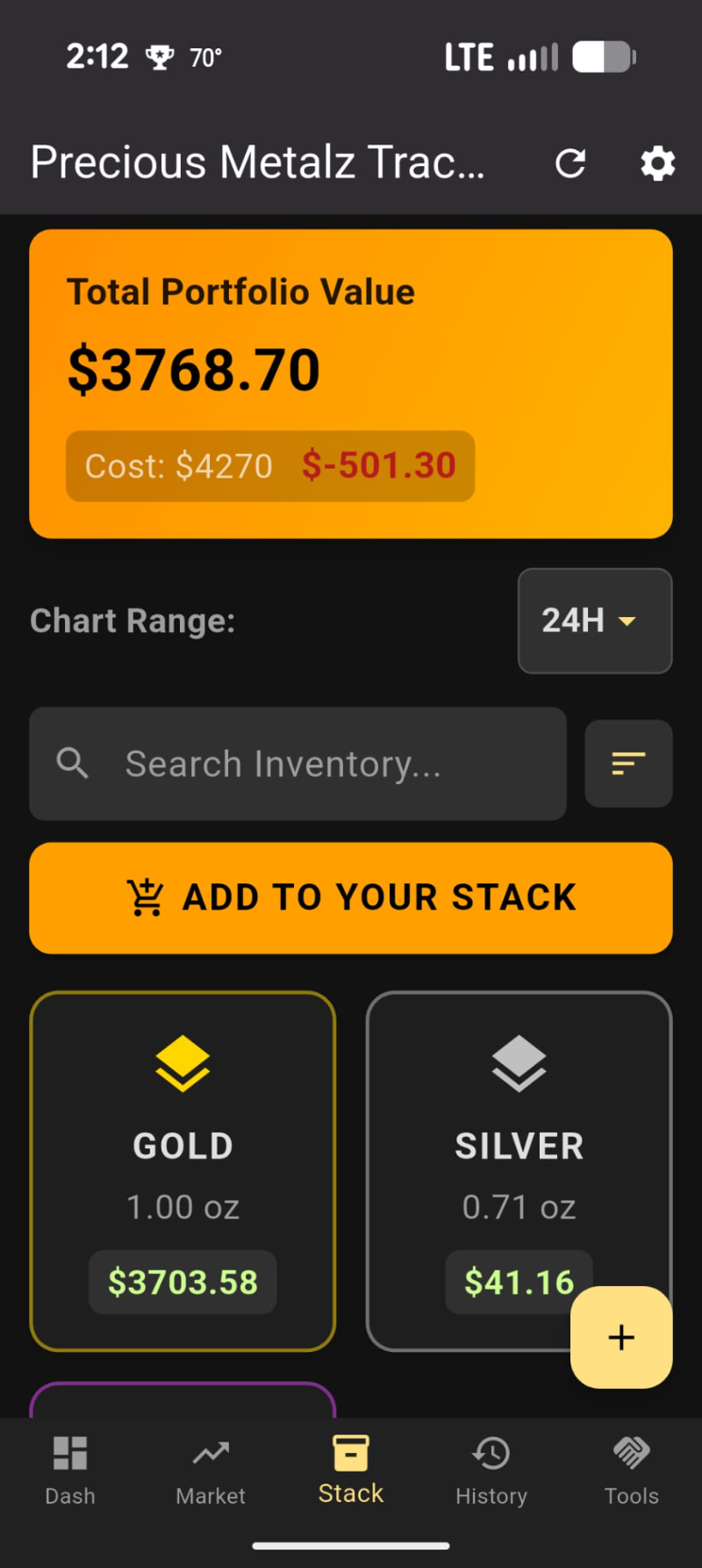
⬤Dashboard (Dash): Your command center. It shows your total vault value, your Stacker Rank, and features the Spot Time Machine and your Target Wishlist.
⬤Market: Check live spot prices, read daily tips, and view the global news feed to stay updated on market trends.
⬤Stack: Your physical inventory. It groups your metals by category (Gold, Silver, Platinum, etc.). Tap a category to see your individual items.
⬤History: A permanent ledger of everything you have sold, showing your total realized cash gains and losses.
⬤Tools: A collection of calculators and identifiers to help you test metals, calculate scrap value, and plan your exit strategy.
3. Adding to Your Stack (Step-by-Step)
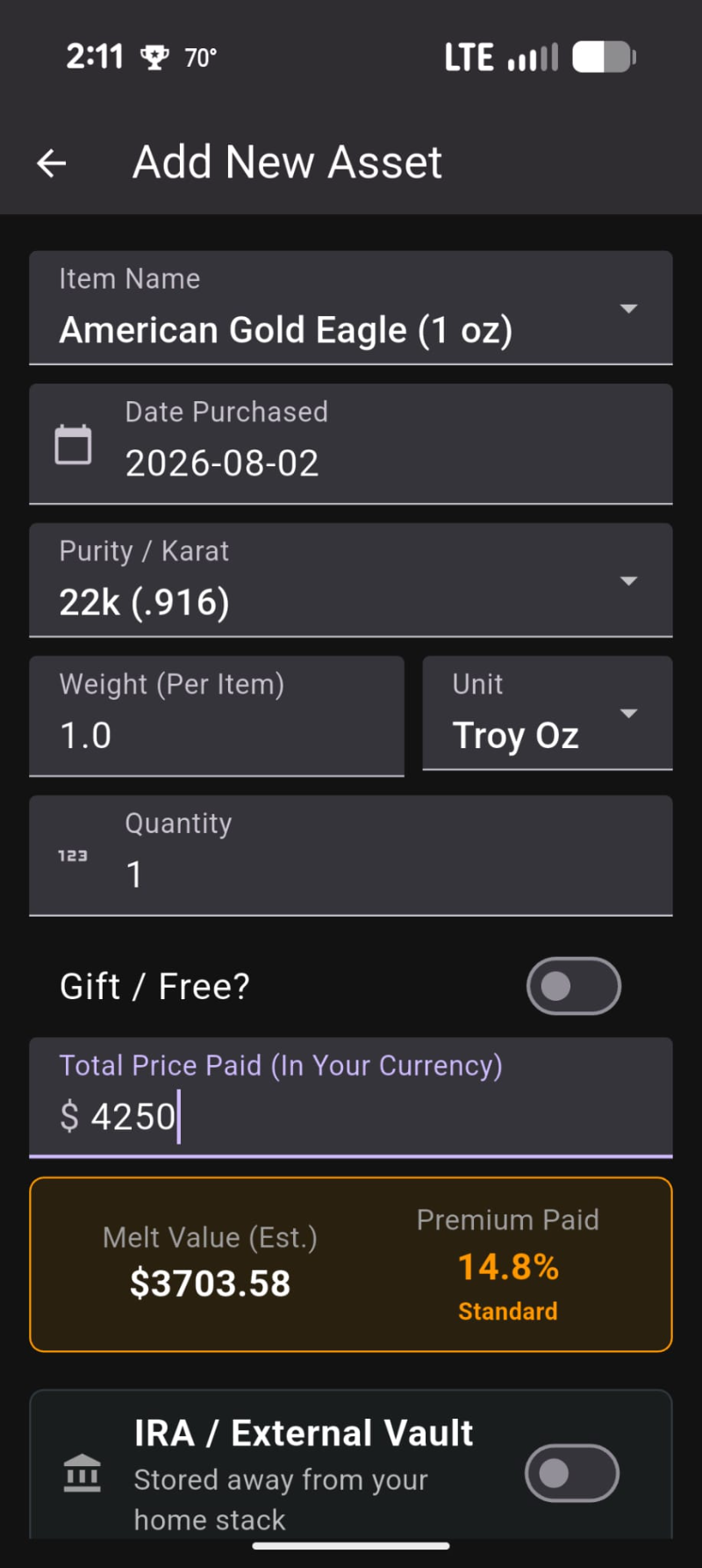
⬤1. Start: Go to the 'Stack' tab and tap the floating (+) button to add a new item. (Note: The big 'Add To Your Stack' button takes you to our affiliate partner deals!).
⬤2. Choose Metal & Name: Select your metal type. Then pick a common name from the dropdown, or select 'Other' to type your own custom name.
⬤3. Junk Silver Shortcut: If adding pre-1965 silver, toggle 'Enter by Face Value?'. Just type the face value (like $1.50) and the app automatically calculates the correct silver weight.
⬤4. Weight & Purity: Enter the weight and select the unit (Grams, Troy Oz, etc.). Make sure to select the correct purity (like 14k or Sterling) so the app calculates the true melt value accurately.
⬤5. Tubes & Rolls: If you bought 20 identical coins, put '20' in the Quantity box and turn on 'Display as Tube'. This keeps your inventory clean by grouping them into one single entry.
⬤6. Cost & Photos: Enter the total price you paid (toggle 'Gift' if it was free). Tap the camera box to save a photo of the item, then tap 'Add to Stack'.
4. Managing & Selling Inventory
⬤Quick Expand: In your Stack, tap any item card once. It will expand to show you the live Market Price, your exact Cost per unit, and your current Profit or Loss.
⬤Editing Items: Tap 'Edit Item' inside an expanded card to fix a typo, update a photo, or add more coins to an existing tube.
⬤Smart Sell: Ready to sell? Tap 'Sell Item'. If you have a tube of 10 coins but only sell 3, type '3' and your sale price. The app will log the 3 sold coins to your History tab and recalculate your remaining inventory automatically.
⬤Swipe Actions: Swipe an item card to the Left to permanently delete it. Swipe it to the Right to quickly duplicate it (perfect for adding multiple identical items without typing everything again).
5. Pro Dashboard Features
⬤Privacy Mode: Don't want people looking over your shoulder? Tap the large 'Total Value' number on your dashboard to instantly mask your balances with asterisks (****).
⬤Target Pad: Scroll to the bottom of the Dashboard to add a Target. Enter an item and the price you want to pay. If the market drops to your target, the app will alert you to buy.
⬤Spot Time Machine: Tap the Time Machine button on the Dashboard, pick a historical year, and watch your current portfolio's value magically change to reflect what it would have been worth back then.
6. Using the Math Tools
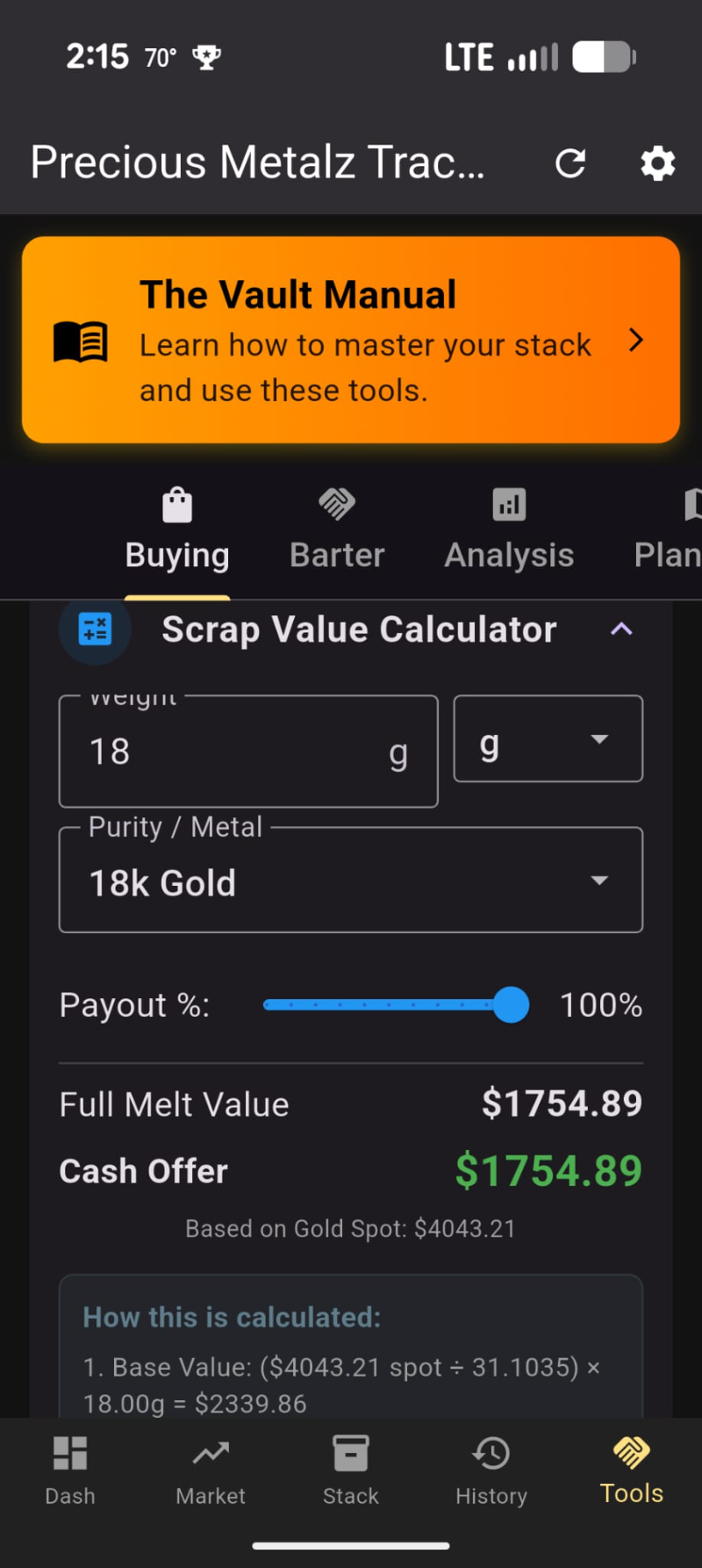
⬤Premium Analyzer: Enter the weight and the total price you paid for a coin. This tool shows you exactly what percentage of your money went to the dealer's premium vs. the actual metal value.
⬤Scrap Wizard: Found some old jewelry or silverware? Answer the interactive Yes/No questions (like 'Does it stick to a magnet?') to figure out if it is real gold/silver or just fake plating.
⬤Specific Gravity Tester: A scientific calculator that uses water displacement (weighing an item dry, then suspended in water) to detect counterfeit coins without damaging them.
⬤Break Even Calculator: Enter your original cost and the platform fees (like eBay's 13%). It calculates the exact minimum price you must list the item for so you don't lose money.